Intro
In just under two months, I went from a beginner to passing CompTia Security+ (SY0-701) on January 24, 2025, while balancing a full-time role as a trainee sales engineer in a cybersecurity company.
I want to give you a very quick overview as a head start. This is what I recommend you do to pass sec+ while also gaining a fundamental knowledge of Information Security.
- Read my quick overview of InfoSec here.
- (optional) Follow Network fundamental by LearnCantrill if you want to learn from first principle. Thanks, Andrian! I like your teaching style.
- Do past papers that are available online (try searching for .pdf files). Refer to Professor Messer's YouTube tutorials for topic-specific explanations.
InfoSec Overview
Before diving into exam preparation, let’s first build a strong foundation. Think of this as sketching on a blank canvas – this will give you a clear picture of what InfoSec is really about.
InfoSec isn’t just about hacking; it’s about establishing a strong security posture to safeguard data and network operations.
Core concerns include tackling these values.
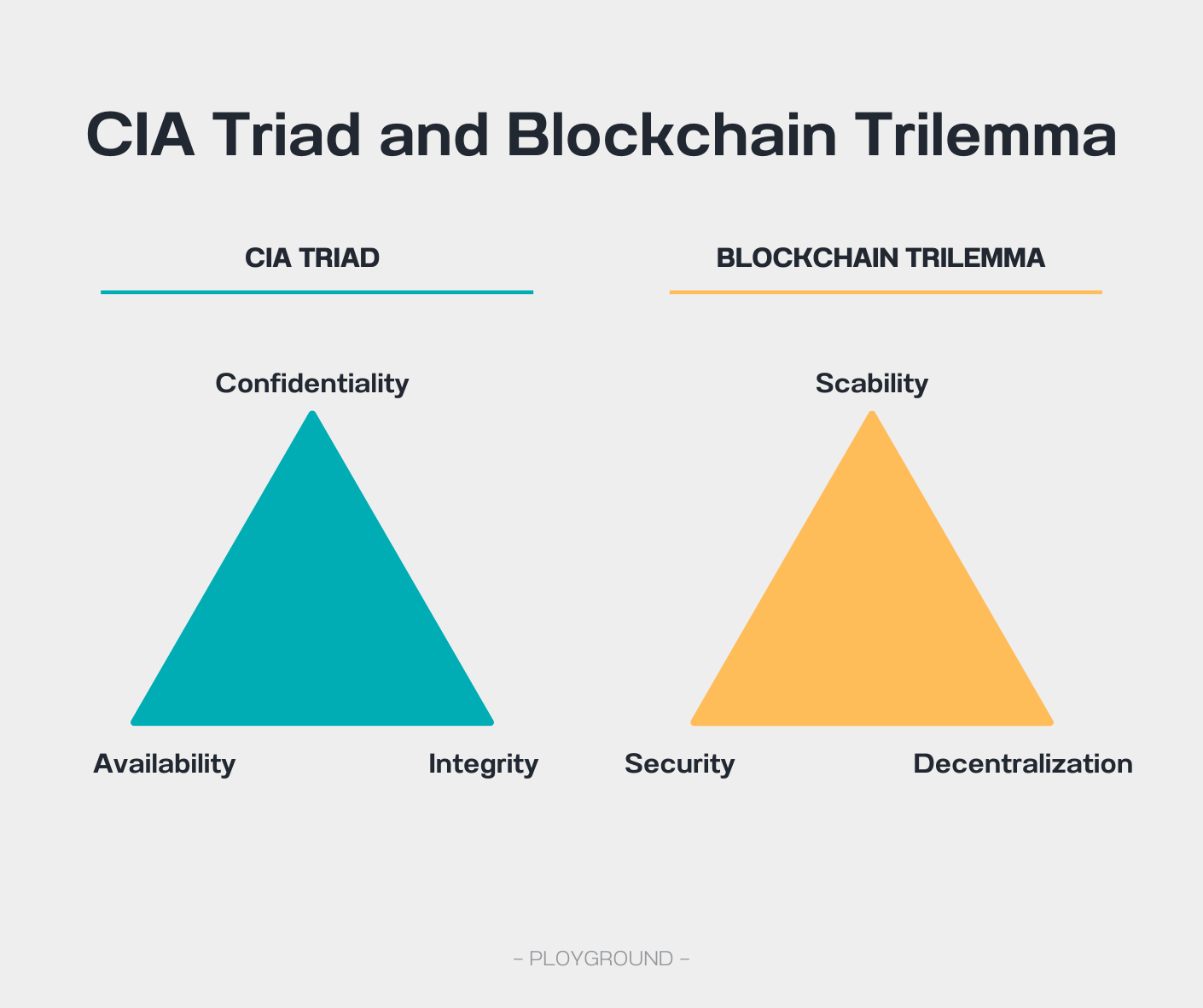
- Confidentiality = "Keep it private" Your secrets and important info stay safe, like locking your journal. Only trusted people get access.
- Integrity = "Keep it real" Your stuff stays the way it should be—no messing it up. Like saving your project so nothing gets accidentally deleted or changed.
- Availability = "Keep it ready" What you need is always there when you need it, like your favorite app loading fast when you’re in a hurry. This **CIA Triad – Confidentiality, Availability, and Integrity **reminds me of Blockchain Trilemma – Scalability, Security, and Decentralization. Both frameworks balance trade-offs in security and functionality, making them essential in security posture design.
Imagine Infosec as a tower defense game similar to Plants vs. Zombies. Your goal is to protect valuable assets (sunflowers and the house) from threats (zombies). Security devices (peashooters) act as defenders, ensuring only authorized access while blocking intruders.
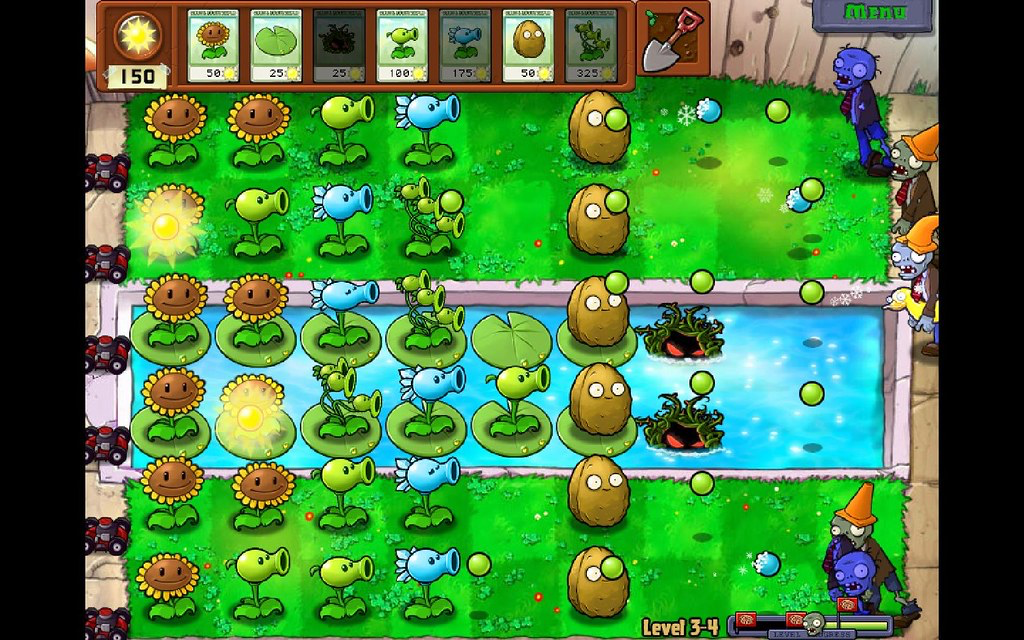
Let’s deep dive into each of those instances.
- Important service/data (we care for their CIA)
- Network devices (basic skeleton to keep things running and connected, water the sunflower, plow the land)
- Access attempts (the yard’s visitors are not just zombies. They mostly are authorized people, both insiders and outsiders, and potential disguised zombies.)
- Security devices (detect, prevent, and response to bad zombies)
1. Important service/data
In this analogy, sunflowers represent important services, computer resources, and data that generate value for the organization. Data is relatively straightforward to understand. However, understanding the computer resources that host these services requires examining the four main components of a system.
- CPU: The brain of the computer that computes.
- Disk Storage: Long-term memory for saving data.
- Memory (RAM): Temporary storage for running programs.
- Network: Enables communication between systems.
2. Network devices
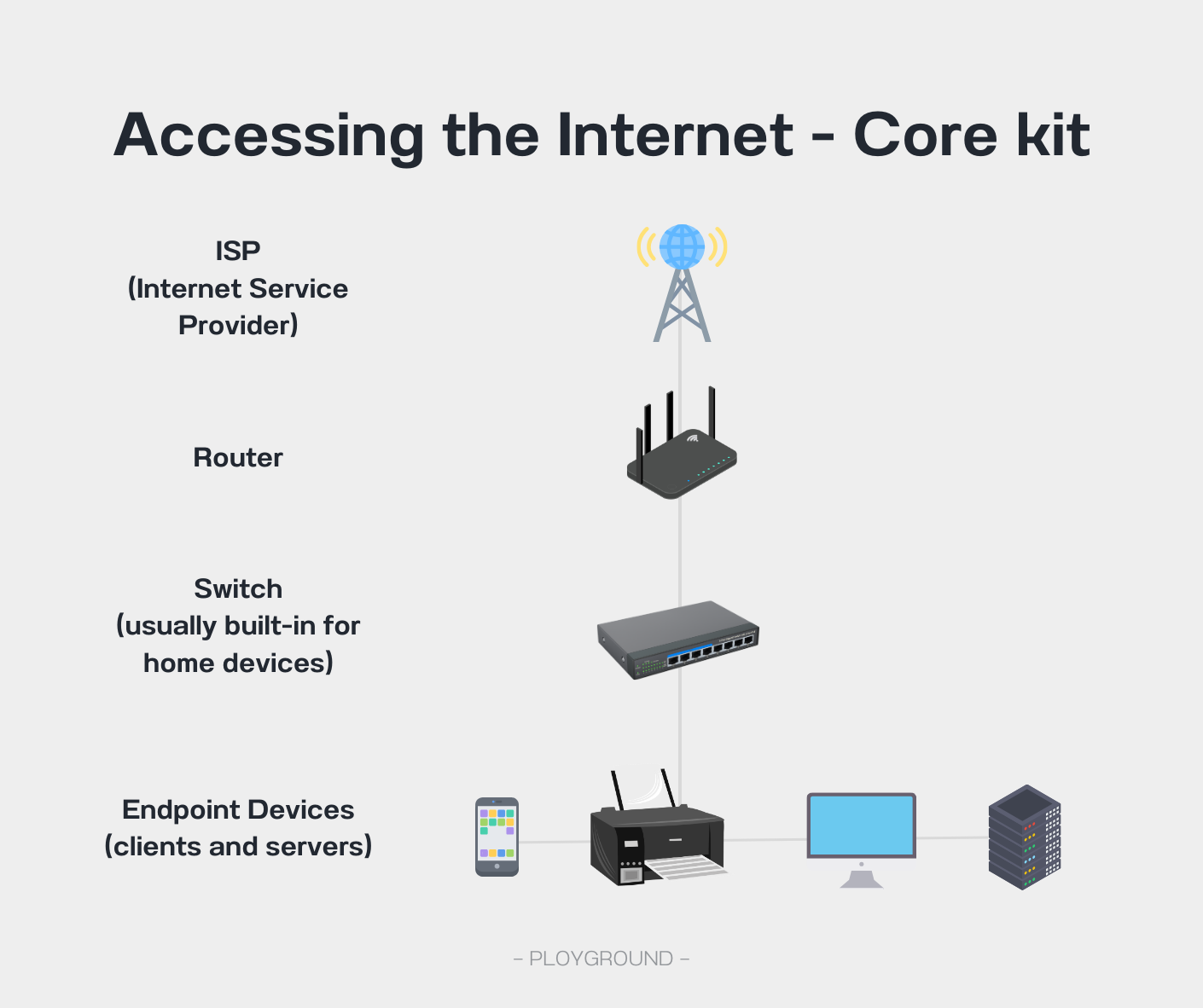
The fundamental devices that allow you to surf the internet are the followings.
- ISP - internet provider aka “Link” A company that provides internet access to businesses and consumers e.g. at&t, verizon. My office’s building only has one link so every companies here need to use that brand.
- Router - act as a railway, think airport customs, saying permit or deny to a certain traffic.
- Switch - act as a concert facilitator that guides you to the right zone/location.
3. Access Attempt
Attackers exploit vulnerabilities using various vectors. These typically fall into two categories.
**Network-based attacks (Top-down): **Here are some samples – exploiting website vulnerabilities (e.g., SQL injection, cross-site scripting), launching denial-of-service (DoS) or distributed DoS (DDoS) attacks, and gaining unauthorized access through weak credentials or unpatched software.
Physical-based attacks (Bottom-up): These involve direct interaction with devices, like inserting infected USBs, tampering with hardware, or tricking employees into revealing credentials.
4. Security Devices
Peashooters are security postures to prevent bad access to attack your data or network.
To prevent malicious access attempt mentioned in (3), from our current setup, we can add NGFW, Endpoint protection as a basic setup since attack can either come from network or from usb.
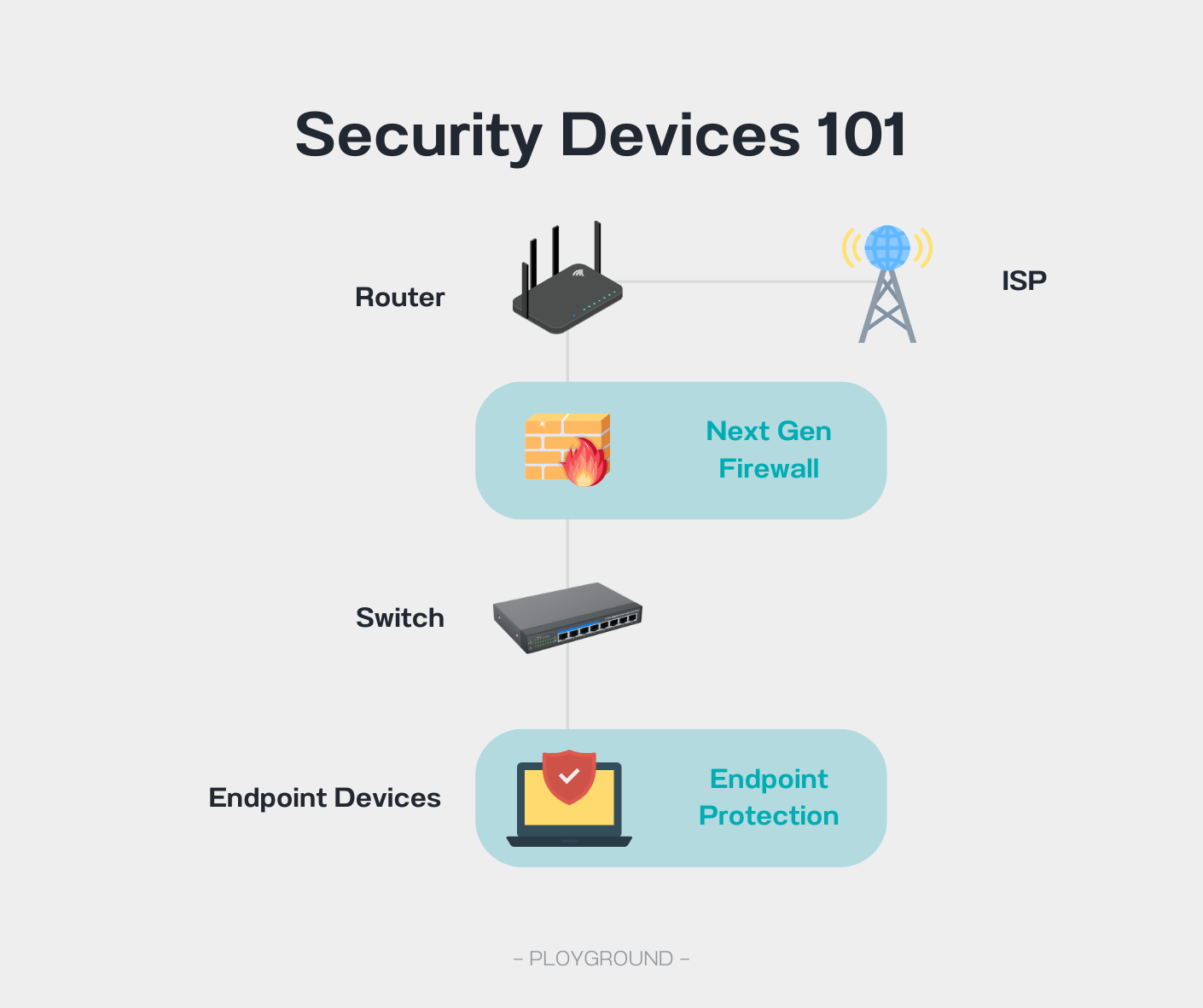
There are a lot more security postures e.g. email security gateway, webapp firewall, cloud protection.
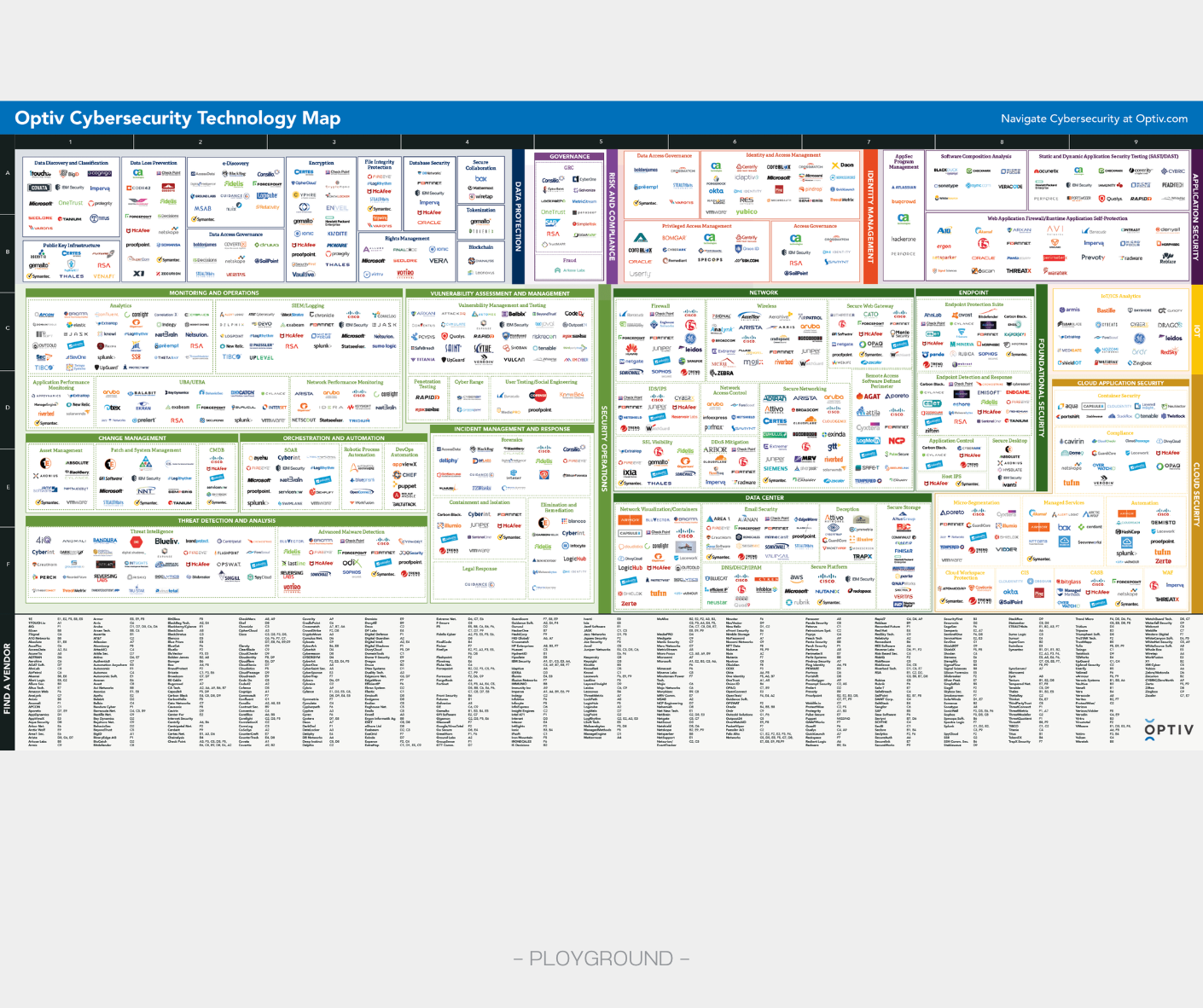
In the real world, there are more logistic problems than just implementing security postures.
- IT under finance - managers think peashooters are waste of money
- The company has no capacity or knowledge to operate peashooters
- Bad peashooters or bad support from peashooters’ merchants (vendors and system integrators)
Passing Security+ isn’t difficult with the right approach. By focusing on fundamentals, and practicing with past exams, you’ll gain both the certification and a solid foundation in InfoSec. Stay consistent, enjoy the process, and good luck!
Resource: Very well made category of cybersecurity products